

Github OAuth
Plane supports GitHub OAuth so your users can sign-in with GitHub instead.
Configure Plane as an OAuth app on GitHub
Log in to your GitHub account.
Click your profile's avatar and navigate to Settings.
Click Developer Settings and then OAuth Apps.

Click Register a new application.
Configure the following OAuth credentials for your Plane app.
- Homepage URL
The domain, with HTTPS, on which you host Plane, e.g.,https://<plane.example.com> - Authorization Callback URL
Append the path that users should be redirected to after they have authenticated with GitHub. e.g.,https://<plane.example.com>/auth/github/callback/andhttps://<plane.example.com>/auth/mobile/github/callback/where<plane.example.com>is your self-hosted instance's domain.
- Homepage URL
Click
Register applicationto save it.Find the app you just registered and click through to find the client ID and the client secret. You will need this for the next steps.
Configure Plane
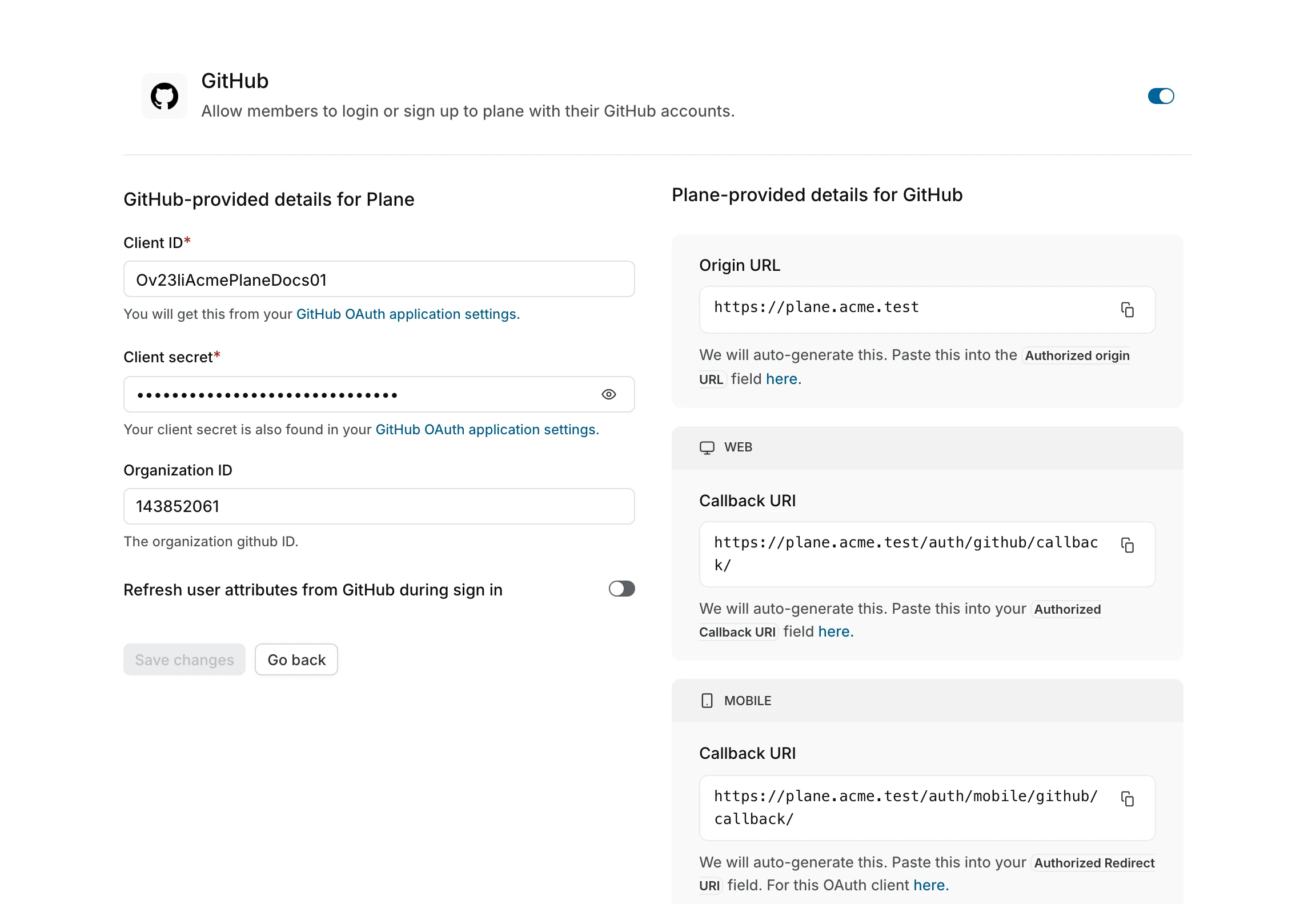
- Go to
GitHubon the Authentication screen of/god mode. - Add the client ID + the client secret from the GitHub app you just registered.
- Click
Save.
Your Plane instance should now work with GitHub sign-in.