

Add or remove seats
Manage the number of paid seats in your workspace to control your subscription costs. Seats determine how many Admins and Members you can have.
INFO
Guests don't count as paid seats. You get 5 Guest users per paid seat automatically.
Add seats
Add seats when you need to invite more Admins or Members than your current seat count allows.
Navigate to Workspace settings → Billing and plans (or Workspace settings → Members).
Click Manage seats, or open its menu and select Add seats.
Enter the number of seats to add and click Continue.
Review the prorated charge for today, your revised renewal, and your new seat total, then click Confirm.
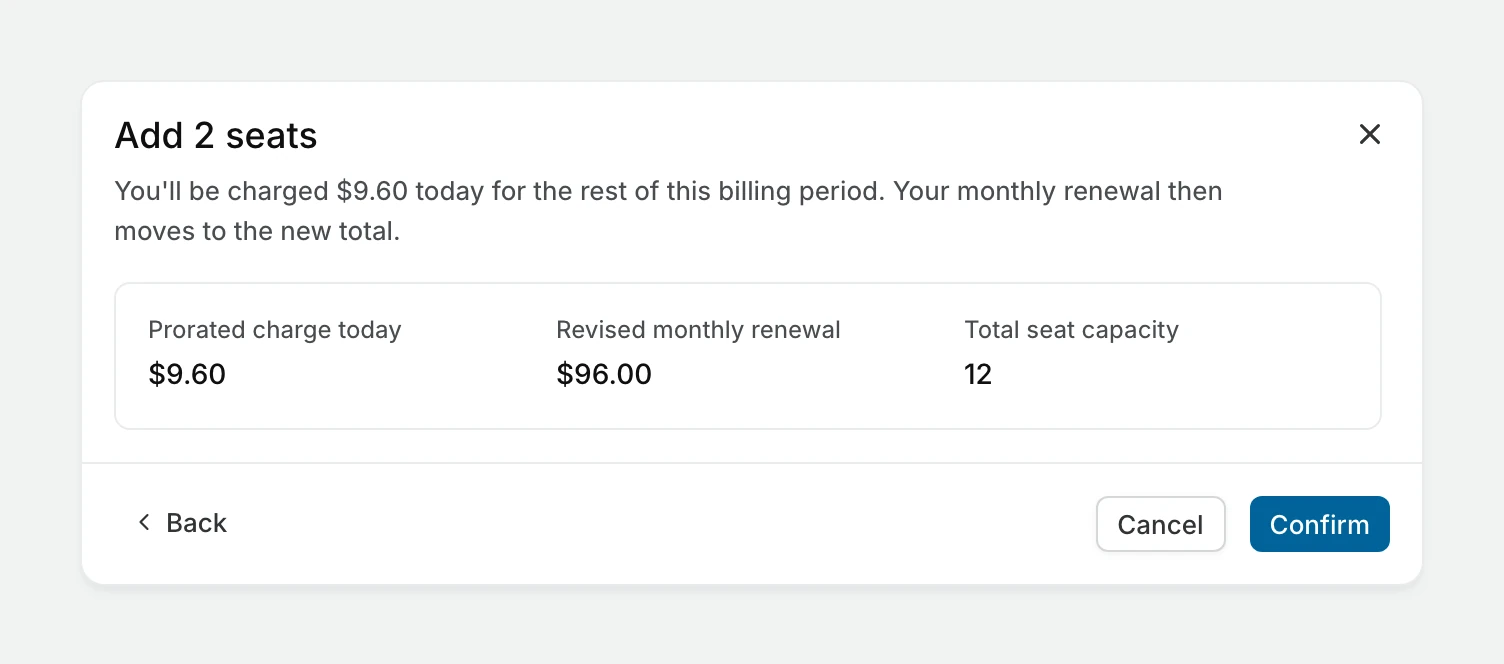
Billing impact
- New seats are charged to your card on file right away, for the rest of the current billing period.
- Future bills include the full price of all seats.
Remove unused seats
Remove unused seats to reduce your subscription cost. You can only remove seats that aren't currently assigned to members.
TIP
If you want to remove seats currently in use, remove the members first or change their role to Guest. See Manage members, then remove the unused seats.
Navigate to Workspace settings → Billing and plans (or Workspace settings → Members).
Open the Manage seats menu and select Remove unused seats.
Review how much your next invoice goes down and click Remove seats.
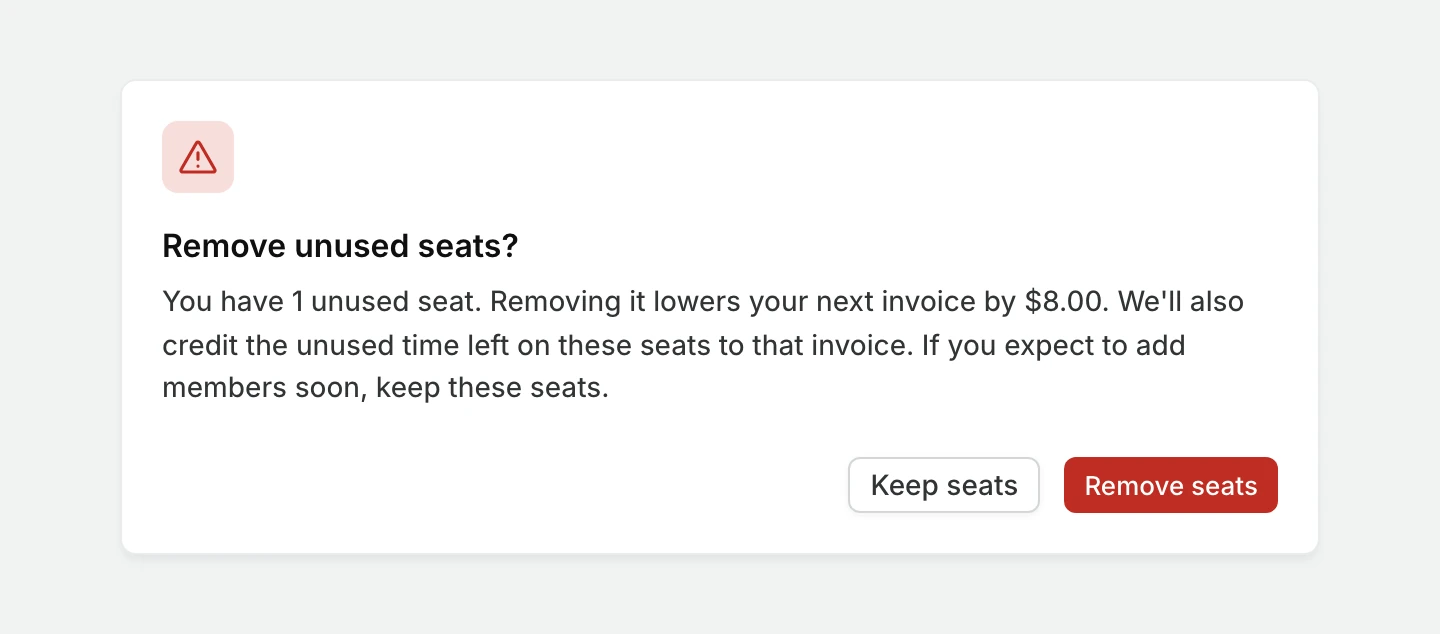
This removes all paid seats not currently assigned to Admins or Members. Your next invoice drops to the new seat count, and the unused time left on the removed seats is credited to it. Your current invoice isn't refunded.
When seats can't be changed
Seat controls are turned off while a subscription is scheduled for cancellation or paused. Renew or restart the subscription first. During a trial there are no seats to buy. If you're billed by invoice, contact Plane support to change seats.